Android install #
Make sure you are using the Chrome browser on Android so that you can install the app.
- Go to this webpage https://www.merisapp.com.
- Select the Chrome configuration dialog (the three vertical dots in the upper right)
- Find the “Add To Home Screen” item
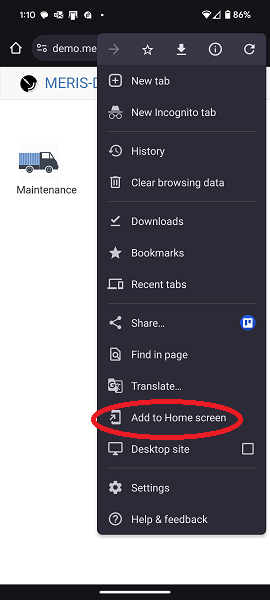
Tap Add to Home Screen.
Then you will see another dialog pop up:
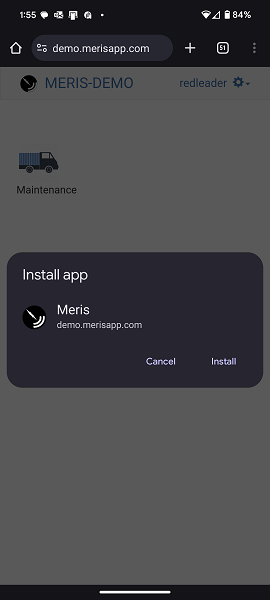
Tap Install.
Check your homescreen for the Meris Icon.