iOS install #
On iOS devices you need to open the webpage, https://www.merisapp.com, from the Safari browser on iOS.
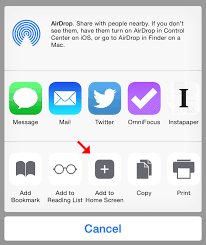
Safari does not open a dialog to install your application. With Safari you need to tap the share icon,
 .
.
Then you can scroll to the right a little bit until you find the Add to Home Screen icon and you can tap that.